Exclusions
Download PDF
A table with a list of previously added exclusions (files or directories). Allows editing exclusions, as well as enabling or disabling them.
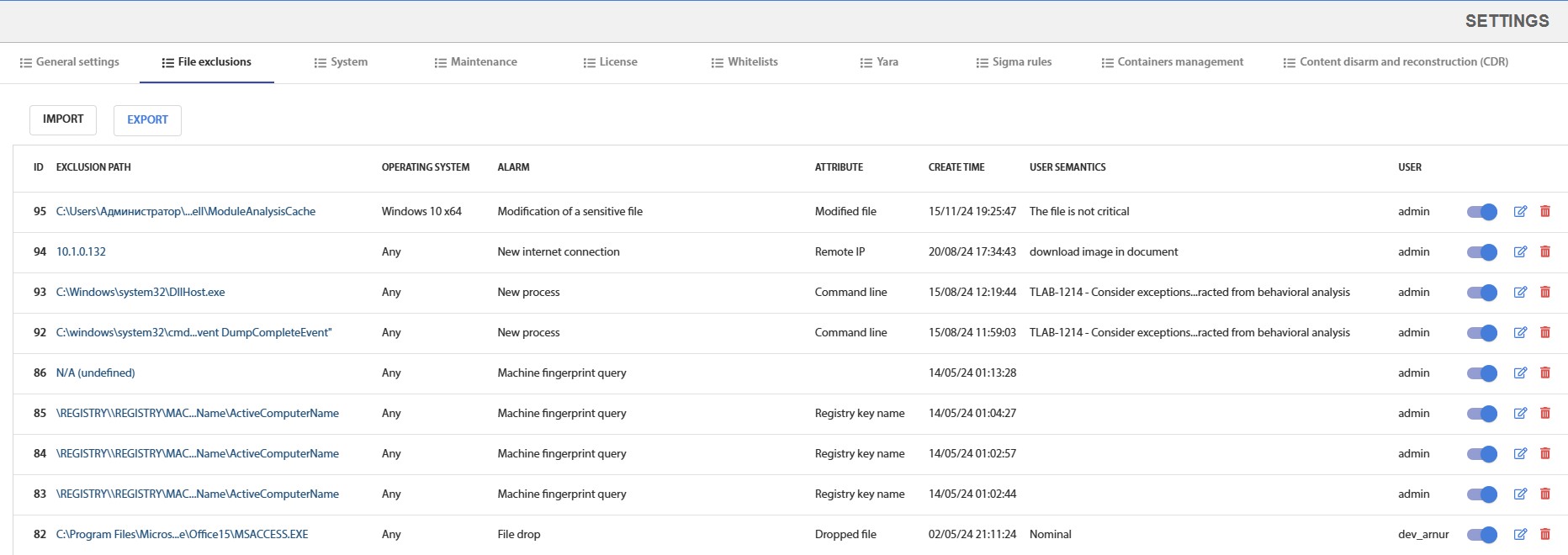
Fig. 4.1 – Exclusions Page
Exclusion Management
The exception is enabled/disabled using a toggle button. If the exception is enabled, it will be taken into account when calculating the threat level of a file.
Editing and deleting an exception is done using the buttons in the column: in the form of a pencil and a trash bin, respectively.

Fig. 4.1.1 - Exclusion management buttons
Import / Export Exclusions
To import exclusions, press the Import button. In the opened window, select a json format file that was previously exported from the system. The result of the import will be the addition of new exclusions, while the old ones will remain unchanged.
To export exclusions, press the Export button. After pressing, the "exclusions.json" file will be downloaded.

Fig. 4.1.2 - Import and export buttons for the exceptions list