Detailed Report
Download PDF
The detailed report is an interactive list of activities with filtering options by event type. A full list of activities with their parameters is provided in Appendix 2. Right-clicking on an activity parameter opens a context menu with additional filters for that parameter. Each activity has a danger level, with possible danger levels listed in Appendix 3.
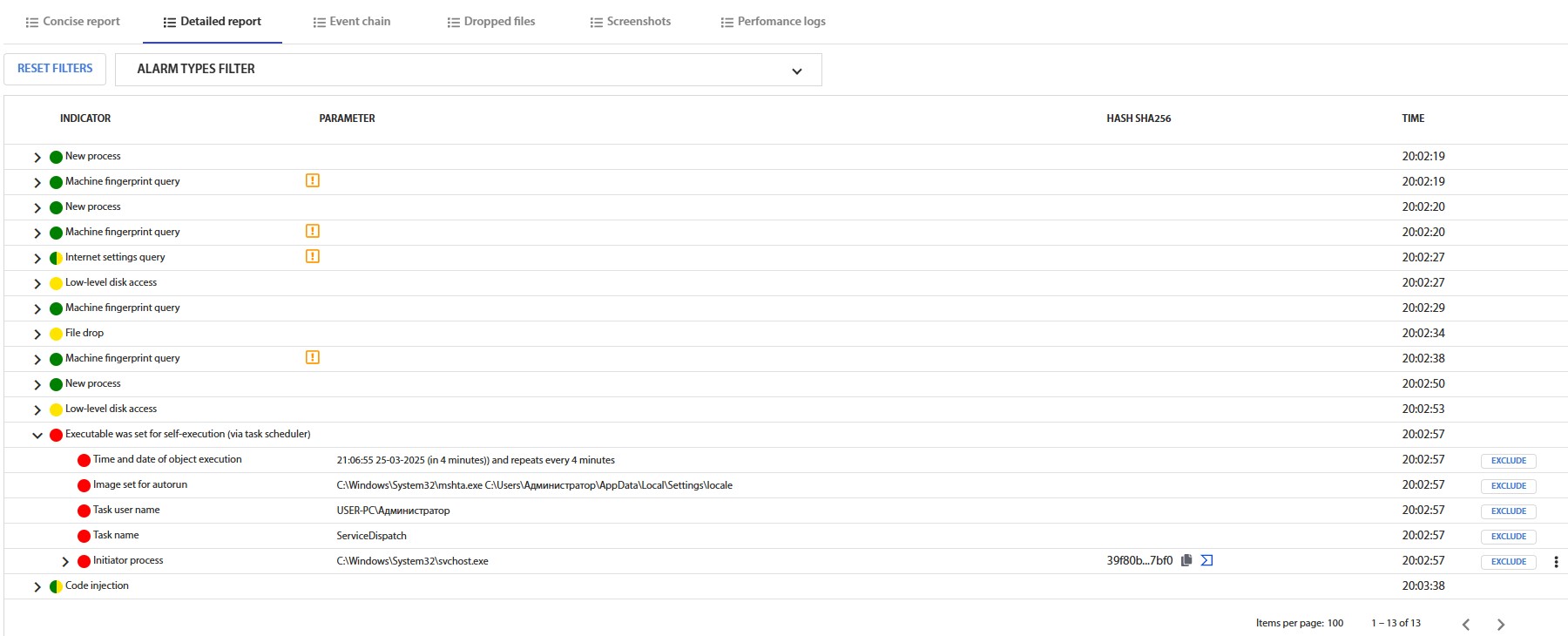
Fig. 16 – List of Recorded Activities
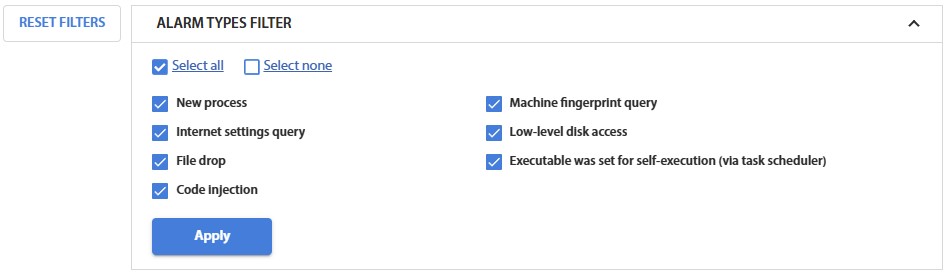
Fig. 17 – Filters for the List of Recorded Activities

Fig. 18 – Filters for the List of Recorded Activities, Available via the Context Menu
The system provides the ability to add a file or path to the exclusion list for analysis. By selecting a path or part of it and right-clicking, a menu will open, allowing access to the exclusion addition window.

Fig. 18.1 – Defining the File/Directory Exclusion Path
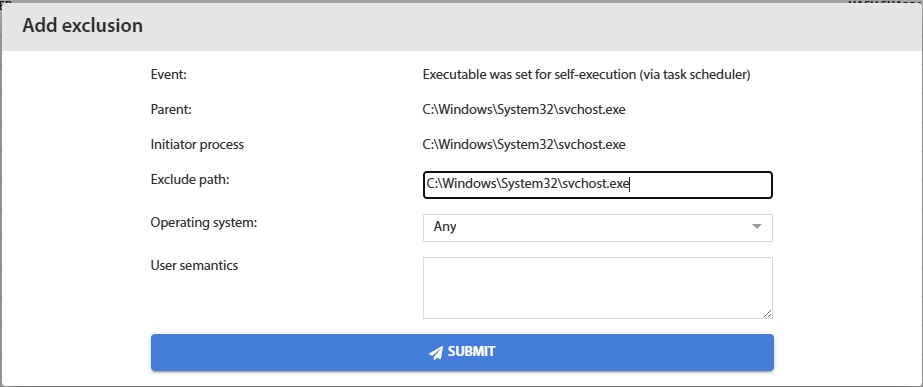
Fig. 18.2 – Exclusion Addition Window