Settings
Download PDF
On this page, various system properties are configured.
Maximum Upload Size - the maximum total volume of files sent for analysis.
Execution Delay - indicates the minimum delay time at which a delay will be detected as a suspicious event and, accordingly, countermeasures will be activated.
Automatic Expert Conclusion - allows you to set the danger level at which the file will have an expert's conclusion: Dangerous.
Counteracting Evasion Techniques - provides an option to select a method of counteracting execution delay (exclude delay - there will be no delay; reduce the delay n times - the delay function is intercepted and reduced n times).
File Types Allowed for Analysis - provides the option to prohibit the analysis of certain file types.
After changing the property, you need to click the "Apply Changes" button inside the panel of this property to save.
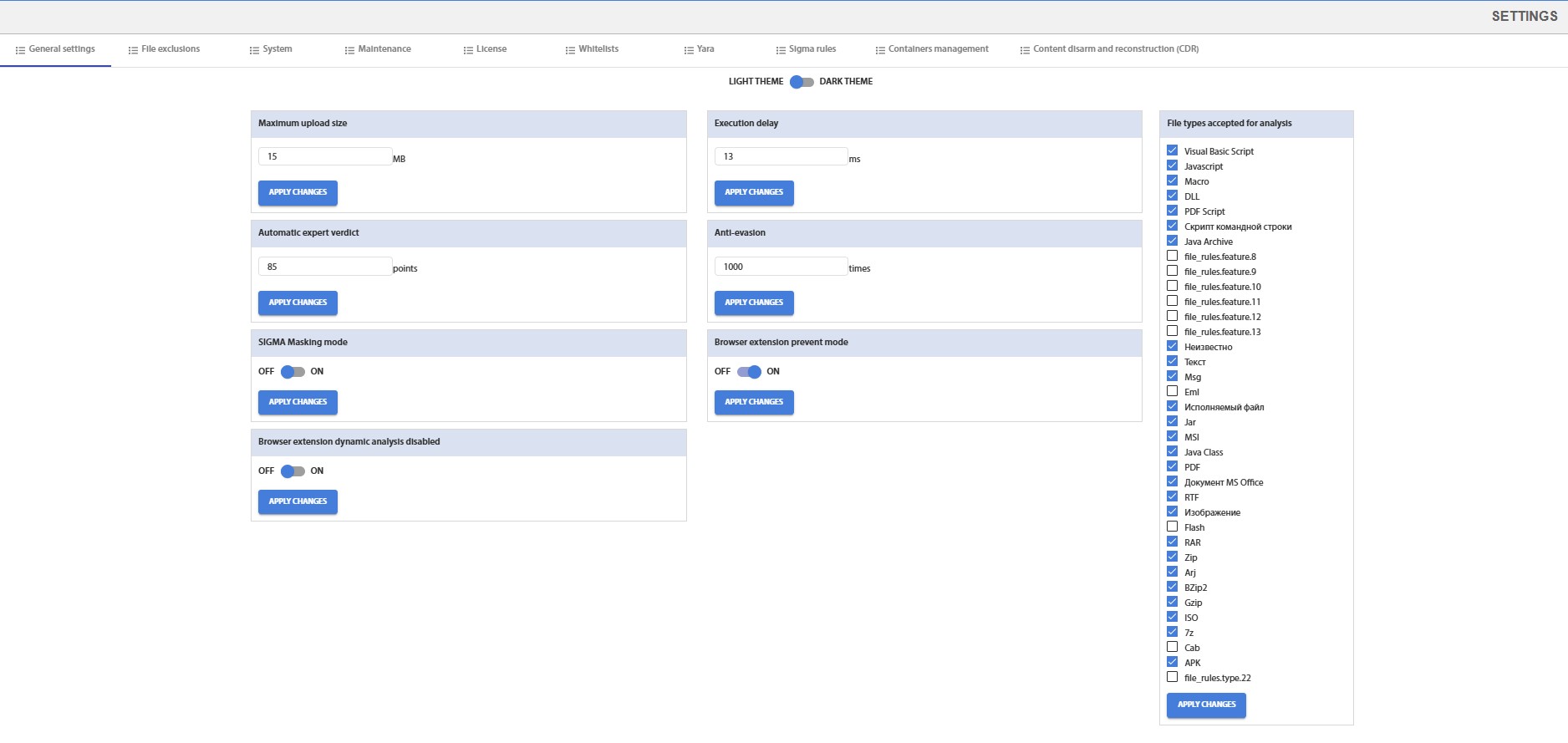
Fig. 4 - System Settings Page